
INDIVIDUAL GUIDES
Memory Integrity
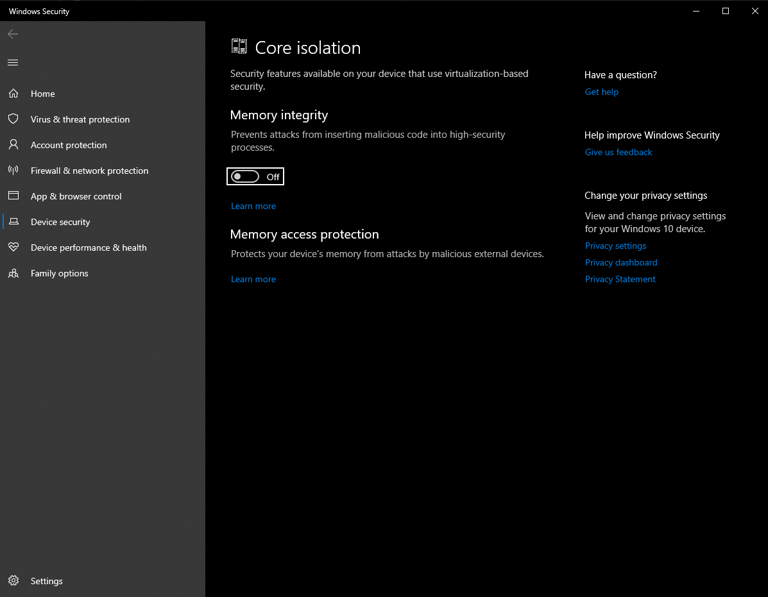
This page will help you disable Memory Integrity in Windows to ensure compatibility with our software.
🛠️ Steps to Disable Memory Integrity
- Open Windows Security from the main menu.
- Click on Device Security.
- Navigate to Core Isolation Details.
- Turn off the Memory Integrity toggle.
🔄 Restart Your PC
After making these changes, restart your computer to apply them.
Still need help?
Open a support ticket and include your order details, a screenshot, and the exact issue.
Open support